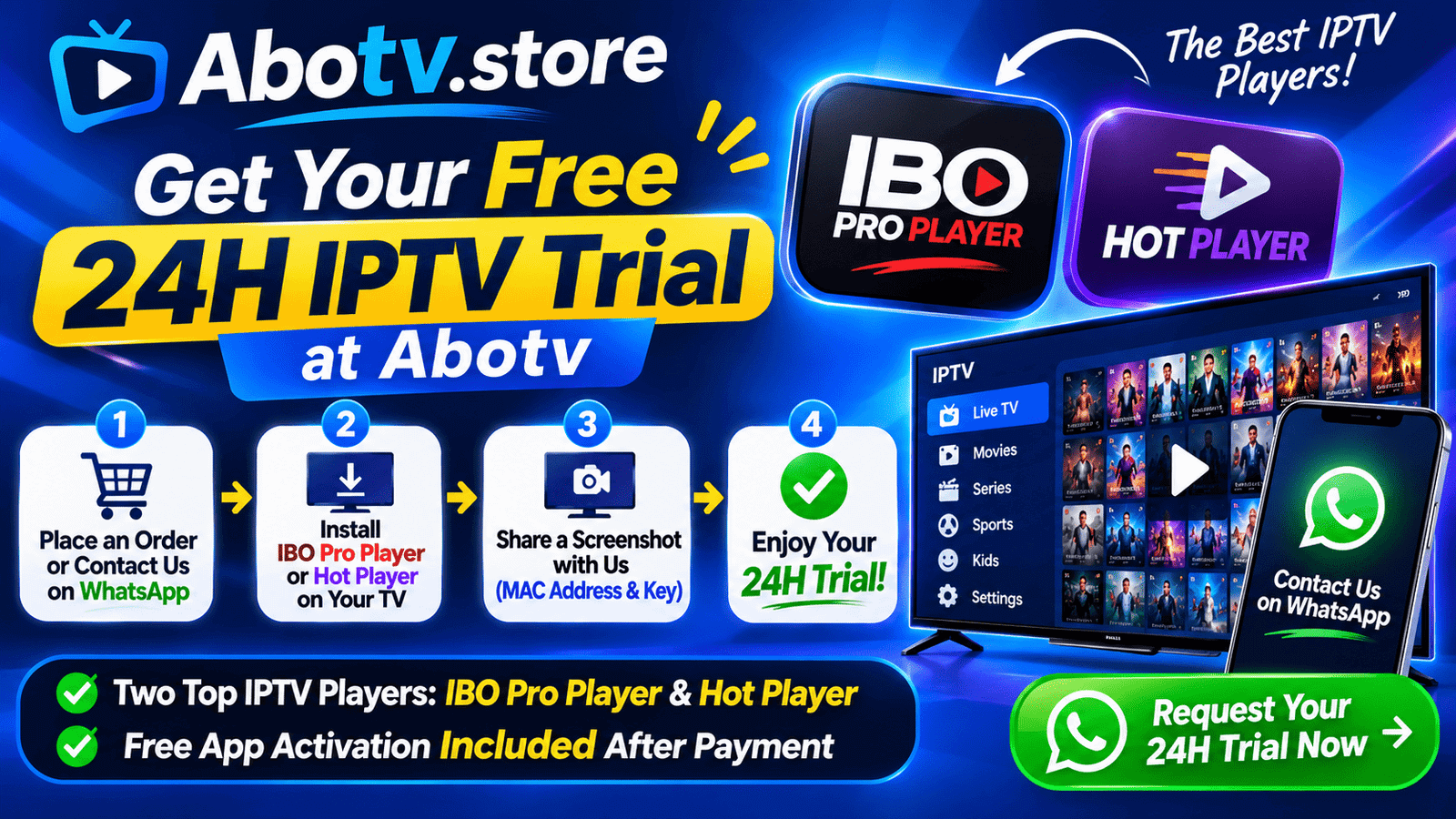
Want to test an IPTV service before you commit? If you are looking for a free IPTV trial 24 hours long, Abo TV (Abotv.store) lets you request one in a few simple steps. First, you place an order or message our support team on WhatsApp. Then you install a recommended IPTV player on your Smart TV and send us the details we need. Finally, our team configures and activates your trial manually.
In this guide, we explain exactly how the 24 hour IPTV trial works, which apps to install, what a MAC Address and an Application Key are, and what to expect after you contact us.
Free IPTV Trial 24 Hours: Two Ways to Request Yours
You can request your trial in whichever way is more convenient for you. Either way, the activation process is the same.
Place an order on the website
Choose a plan on Abotv.store and then place your order. You can also browse everything we offer on our IPTV subscription plans page.
View PlansContact us on WhatsApp
Send a message to our support team and ask for a 24-hour trial. You can also reach us through our contact page.
Request a Free TrialStep-by-Step: How to Activate Your Free IPTV Trial
The whole process takes four steps. However, most of the work is a one-time installation on your television.
Place an Order or Contact Us
First, place an order on our website or contact us directly on WhatsApp to request your 24-hour IPTV trial.
Chat on WhatsAppInstall an IPTV Player on Your Smart TV
Next, download and install IBO Pro Player or Hot Player from your TV's app store. You can choose either one, but you only need one of them. If you need help with your TV, see our Samsung and LG Smart TV setup guide.
Send Us a Screenshot of Your TV
Then open the application on your television, take a screenshot of the screen, and send it to our support team on WhatsApp. The screenshot must show your MAC Address and Application Key, because we use them to set up your trial.
Enjoy Your 24-Hour IPTV Trial
Once we receive your screenshot and the required information, our support team manually configures and activates your 24-hour trial. You can then start testing the service on your Smart TV.
Meet the Recommended IPTV Players: IBO Pro Player and Hot Player
We recommend two IPTV player applications for Smart TVs. However, you only need to install one of them, and you are free to choose the one you prefer.
IBO Pro Player
A convenient way to use IPTV services on compatible Smart TVs. After you install it, open it and send us the details shown on screen.
Hot Player
Hot Player is also a convenient player for compatible Smart TVs. For more details, read our complete HotPlayer guide (in French).
What Are the MAC Address and the Application Key?
These are the two details we need to set up your trial. In simple terms:
- ✔ MAC Address: a unique identifier that helps us recognize which device and application installation to configure.
- ✔ Application Key: a code shown by the application that, together with the MAC Address, lets our team link your trial to your player.
When you open IBO Pro Player or Hot Player on your TV, the screen shows the information we need. Therefore, your screenshot should clearly include:
- ✔ The full MAC Address, with nothing cropped.
- ✔ The full Application Key, readable and sharp.
Why Do We Recommend IBO Pro Player and Hot Player?
They are among our recommended IPTV player applications because they provide a convenient way to use IPTV services on compatible Smart TVs. Here is what that means for you:
An Exclusive Benefit for Our Customers
Free application activation with your subscription
After you confirm payment for an IPTV subscription, Abotv.store activates your selected application free of charge.
The application activation is included in the subscription package. As a result, you do not pay an additional activation fee for the selected player through our offer.
See Subscription PlansReady to Start Your Free Trial?
Send us a message now to request your free IPTV trial, then install your player and send your screenshot. If you have questions along the way, our team is here to help.
Request Your Free 24-Hour IPTV Trial 🎁
First, message our support team on WhatsApp. Then install IBO Pro Player or Hot Player and send us your details.
Frequently Asked Questions
There are two ways: place an order through Abotv.store, or contact our support team on WhatsApp and ask for a 24-hour trial. Then install IBO Pro Player or Hot Player on your Smart TV and send us a screenshot showing your MAC Address and Application Key. After that, our team activates the trial manually.
No. You can either place an order on the website or simply message our support team on WhatsApp to request your 24-hour trial. Either way, the activation steps are the same.
We recommend two applications: IBO Pro Player and Hot Player. Install either one on your Smart TV. Availability can depend on your TV brand and model, so check your TV's app store.
Open the IPTV application on your television. The details we need, the MAC Address and the Application Key, are then shown in the application. If you cannot find them, look in the app's settings or ask our support team for help.
Take a screenshot of the application screen showing your MAC Address and Application Key, then send it to our support team on WhatsApp. If your TV cannot capture screenshots, send a clear photo of the screen taken with your phone, and make sure both details are fully readable.
Yes. After you confirm payment for an IPTV subscription, Abotv.store activates your selected application free of charge. The application activation is included in the subscription package, so there is no additional activation fee for the selected player through our offer.
The trial ends after its 24-hour period. If you enjoyed the service and want to keep watching, you can choose a subscription plan on our pricing page or ask our support team for help choosing one.
Yes. Both applications are recommended, so you can choose whichever one you prefer and that is available for your Smart TV.
Related Guides
More help from Abo TV: